 TickShare
Shared to-do and shopping lists that stay in sync, for families and friends.
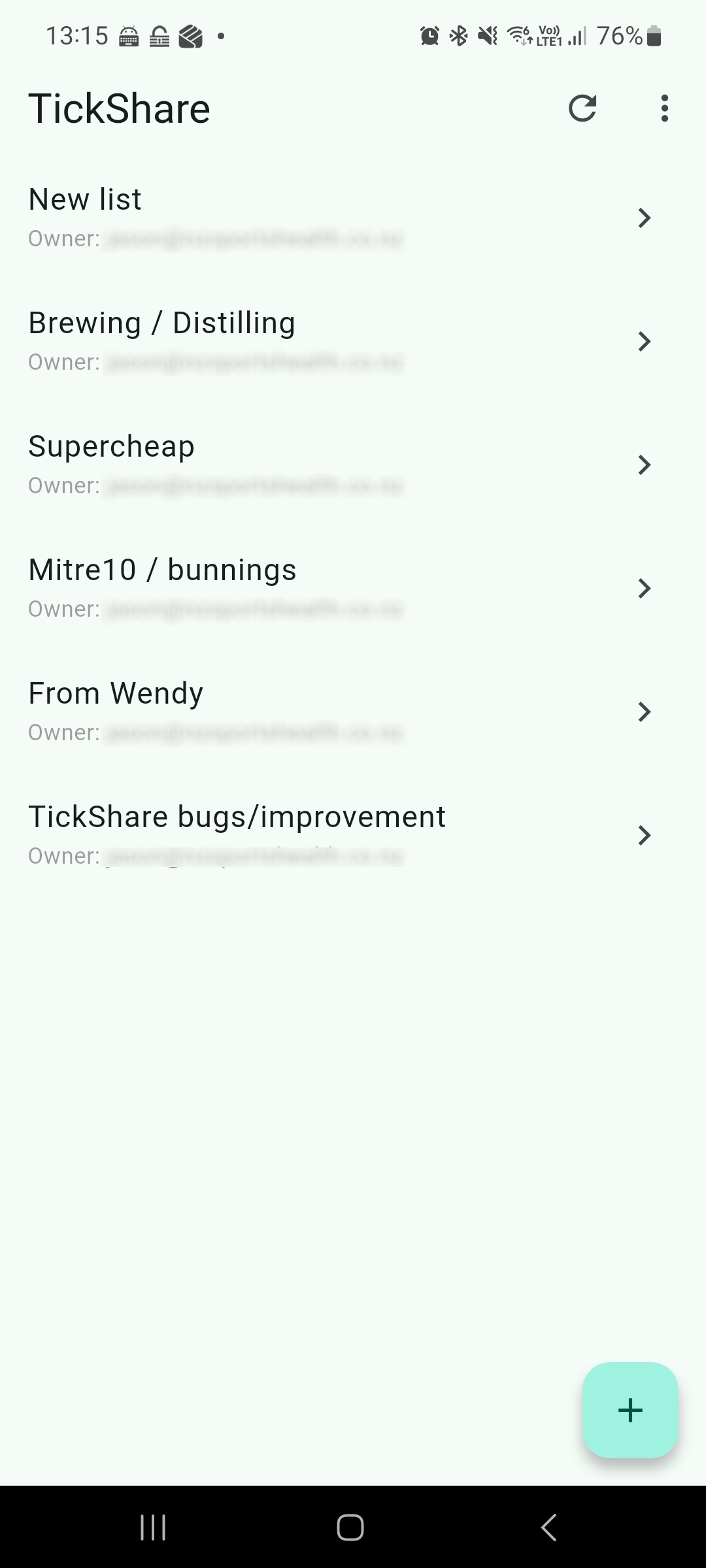
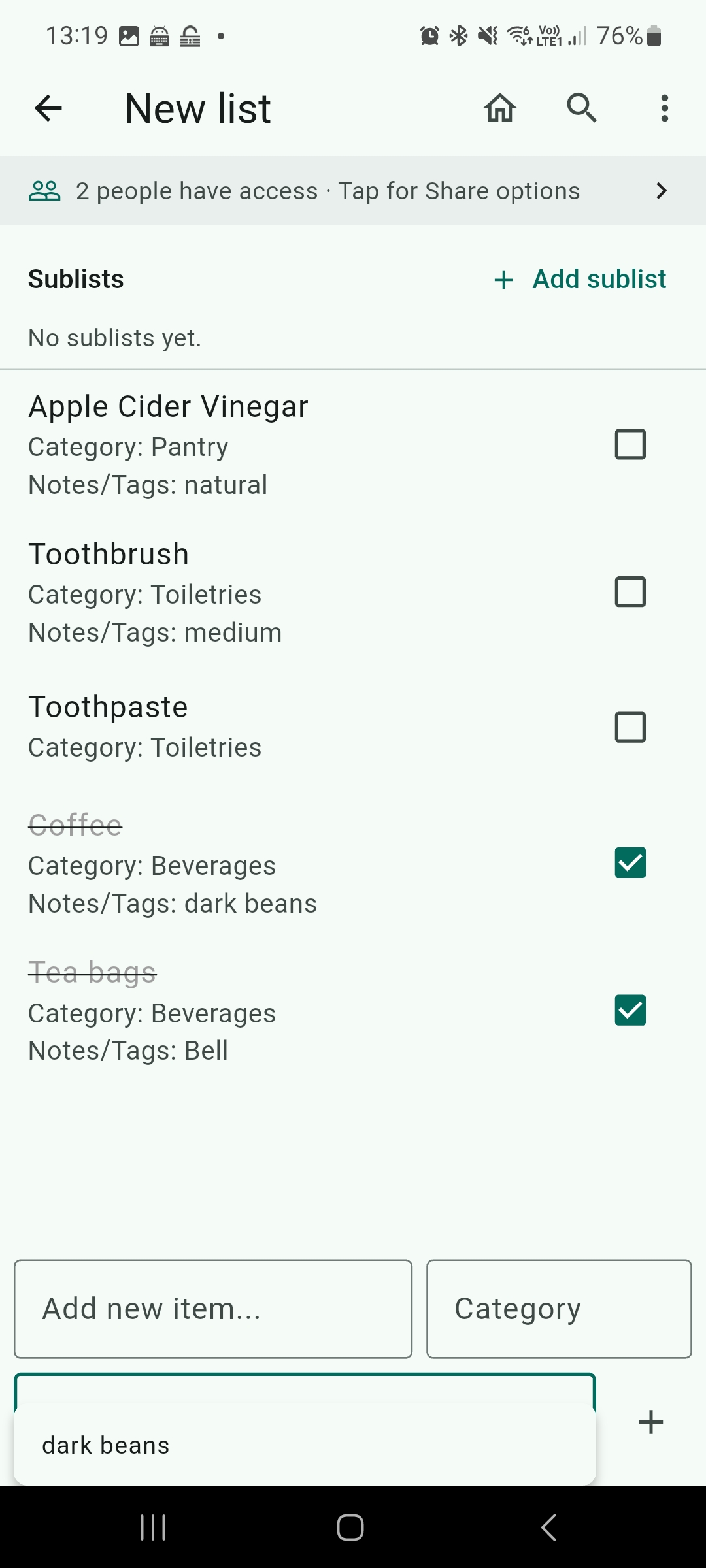
Create lists, share them with people you trust, tick items off together, nest lists inside lists, and keep everything updated across Android and iPhone.
Android closed testing is open on Google Play. iPhone is still by TestFlight invite.
Highlights
- Real-time shared lists with permissions
- Lists inside lists (holiday, then packing, groceries, and to-dos)
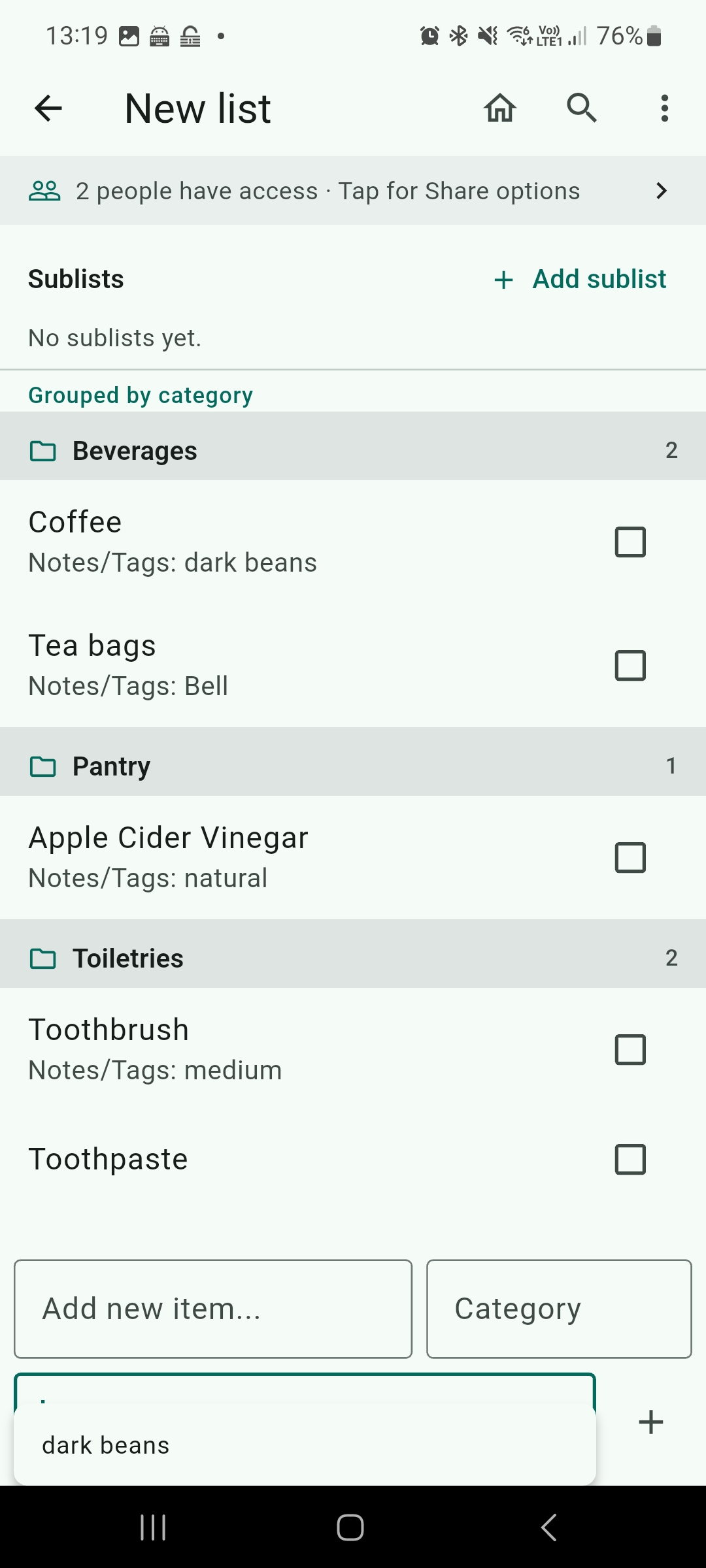
- Search, categories, Notes/Tags, swipe to edit or delete
- Copy, cut, paste, and send a copy of a whole list tree
What it looks like
Join the Android closed test
Google has approved the closed test. On the Android phone you will use, sign in to the Play Store with the Google account that was invited, then become a tester.
Become a tester on Google Play
If Play says you cannot join, that Google account is not on the tester list yet. The same link is play.google.com/apps/testing/com.tickshare.tickshare.
What opting in means
This test is for feedback. We want to hear what is confusing, what breaks, and what would make shared lists easier for your household. A short note is enough.
The test build is free. It does not yet limit how many lists you can keep, or how many people you can share a list with.
When TickShare is released to everyone
The free app will then have two limits:
- a cap on how many lists you can keep
- a cap on how many people you can share with
Pro removes both caps: unlimited lists, and unlimited people to share with. The exact free caps will be shown in the app before anyone is asked to pay.
Joining this test does not reserve a free unlimited account. After the public release, a free account follows the free limits. Unlimited lists and sharing are Pro.
iPhone
iPhone installs are still by TestFlight invite. Ask the person who invited you for that link.
In the app
Open ⋮ → Tips & hints for swipe gestures, nesting ideas, holiday examples, and more. ⋮ → Guide opens this page.